
Local business customer feedback
How to Ask for Google Reviews: 5 Simple Request Templates
Use five Google review request templates for email, text and receipts. Build an honest feedback process without incentives, pressure or review gating.

Quick answer
Ask after a genuine customer experience, make the invitation optional and provide the correct business review link. Keep the wording neutral: invite honest feedback rather than a particular rating. Below are five original templates and a practical workflow for a local business or its SEO provider.
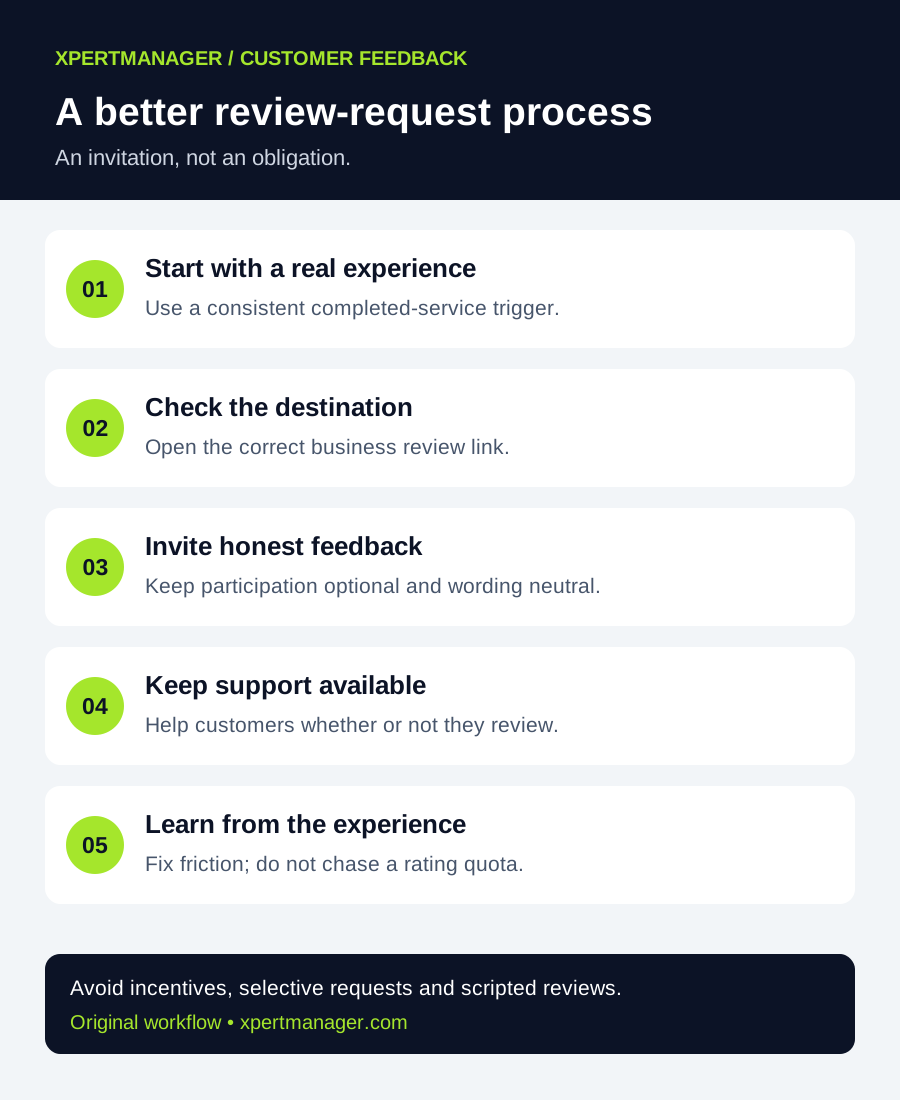
A simple way to approach it
- 01
Choose a consistent trigger after a genuine customer experience.
- 02
Get and test the correct business review link or QR code.
- 03
Adapt one neutral template to an appropriate existing customer channel.
- 04
Make participation optional and keep support available to everyone.
- 05
Record process problems and improve the customer experience.
Set the rules before choosing a template
Google allows invitations for genuine reviews without incentives or attempts to influence their content or rating. Its policy prohibits selectively soliciting positive reviews, pressuring people to review while on the premises, asking for specified content and setting staff review-request quotas. Do not ask for five stars, a named employee or target keywords. Review the linked official policy before launching a campaign.
Keep a short internal brief: who owns the process, which completed experience triggers an invitation, which channel is appropriate and how a customer can decline. Apply the same invitation rule without screening for satisfaction first. Private support should be available whether or not somebody writes a public review.
Get the right link and test the destination
In the managing Business Profile account, look for the review-sharing option and copy the business's review link or download its QR code when available. Google links the current instructions from its review guidance below. Confirm the business name and location when opening the destination; do not publish a link for a similarly named branch.
Open the link on a phone and scan the printed QR proof before ordering a batch of cards. A customer needs a Google Account to post a review. Test the destination without submitting a test review for your own business. Do not promise an anonymous or account-free process.
Keep an editable source for your receipt or card. If the destination is wrong, you want to correct the artwork before reprinting. Use a clearly labeled link rather than an unexplained QR code alone.
1. Short email after a completed service
Subject: An optional invitation to share your experience
Hi [first name], thank you for choosing [business name]. If you would like to share your experience, you can leave an honest Google review here: [review link]. Taking part is optional. If you need help, contact us at [support contact]. Thank you, [sender name].
Replace every placeholder and check the support address. Keep the invitation separate from an invoice dispute or a request to approve completed work. This is original sample wording, not a claim that a particular subject line increases response rates.
2. Brief text message
Hi [first name], this is [name] from [business]. Thanks for visiting us. If you wish, share an honest review on Google: [review link]. No obligation. For help, reach us at [support contact].
Use an appropriate customer communication channel and respect the person's preferences. Do not assume a phone number collected for a service appointment authorizes every kind of message. If you are setting up automated messaging, review the applicable channel and consent requirements before sending; this template is not a compliance determination.
3. Receipt or take-home card
Would you like to share your experience? An honest Google review is welcome: [short readable link or labeled QR code]. Reviewing is optional. Questions or concerns? Contact [support contact].
Keep the card readable without scanning. A neutral invitation can be handed over without waiting for someone to open their phone or write a review. Do not connect a reward, discount or staff benefit to participation.
4. An optional verbal invitation
Thank you for choosing us. If you ever want to share your experience, our receipt has a link for an optional Google review. You can also contact us directly if you need help.
Keep this brief and let the customer leave. Staff should not watch somebody submit a rating, supply a script for their review or keep asking after they decline. Train the team to explain the process rather than chase a review count.
5. A single optional reminder
Hi [first name], one final note from [business]. If you would like to share your experience, our Google review link is [review link]. Please ignore this if you have already reviewed us or prefer not to. For assistance, contact [support contact]. Thank you.
A single reminder is an operational choice, not a Google requirement or a proven best interval. You may decide not to send one at all. Stop after a decline and avoid repeatedly contacting people because you cannot match their name to a public review.
Example: a home-service business in the US
Imagine an independent HVAC business in Phoenix. Its coordinator uses a consistent completed-appointment trigger, verifies the correct branch link and adapts the short email. This is an illustrative workflow, not an XpertManager client case study or a claim about US search volume.
The coordinator also notices that the receipt lists an outdated support number. Fixing that number is a useful outcome even if no new review appears. A review-request process should reveal friction in the customer journey, not conceal it behind a target star rating.
What to track without turning feedback into a quota
Keep a small process log: template version, link test date, responsible person and reported delivery problems. Store only the customer information you actually need under the business's retention practices. Avoid copying public feedback into an unnecessarily detailed customer dossier.
Use feedback themes to identify things the business can improve, such as unclear arrival windows or confusing directions. A change in public review count does not by itself prove the campaign caused it. Do not attribute sales or ranking improvements without appropriate evidence.
Connect the invitation to a useful customer journey
Before requesting more feedback, check that your public contact details, opening hours and website next steps are accurate. The related Local Growth Audit can help review available public business information and website readiness. It does not send review requests, manage a private Business Profile account or guarantee review publication.
For a broader review, use our local SEO audit checklist and record evidence before changing the profile or website. An agency should deliver a dated action list and explain what it observed, what remains unknown and how each proposed fix will be verified.
Good to know
- Templates are original examples to adapt, not legal advice or guaranteed conversion tactics.
- Never publish fabricated customer reviews or present stock photography as client evidence.
- Google controls moderation and publication; sending a request does not guarantee that a review appears.
Common questions
Questions people ask
Can I ask customers for a five-star Google review?
Use a neutral invitation for honest feedback. Do not ask for a particular rating or supply the content the customer should write.
Should only happy customers receive the review link?
No. Do not use a satisfaction screen to direct only positive feedback to Google. Keep the invitation rule consistent and support available to everyone.
Does XpertManager send these requests?
No. These are examples for your own process. The Local Growth Audit reviews available public information and website readiness; it is not a review messaging service.
How quickly will this improve my rankings?
There is no promised ranking improvement or timeline. Focus on an honest feedback process and useful customer experience, then evaluate observed outcomes with context.